











|
|
|
|
|
|
|
|||||
|
|
|
|
|
|
|
|
|
||
|
|
|
||||||||
|
|
|
|
|
|
|
|
|
|
|
|
|
Windows Live Setup
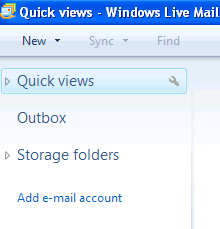
1) Click Add e-mail account.
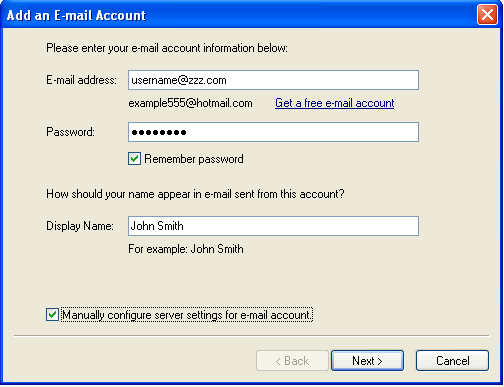
2) Set E-mail address, Password, and Display Name. Next click Manually configure server setting for e-mail account. Click Next
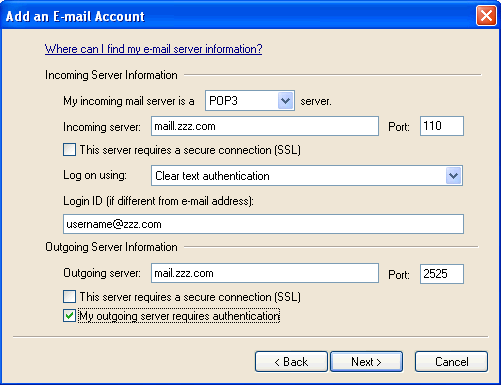
3) Set POP3, Incoming to mail.zzz.com, Outgoing to mail.zzz.com, set Login ID to your full E-mail address and change outgoing port 2525, check Outgoing mail server requires authentication. Click Next
4) Click Finish
|
| 503-914-5156 | Contact Us | Sitemap |
| Copyright 1994-2011 by Internet Communications Inc - Terms and Conditions |
|
|